See also: What do you do about LLM token costs? for some great discussions.
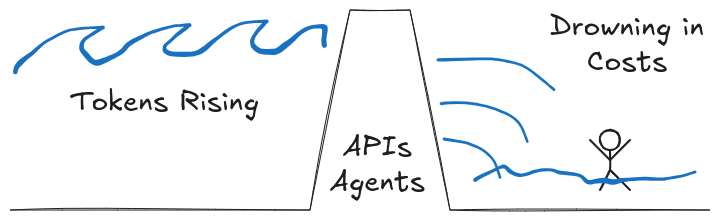
I’m an AI software engineer doing consulting and startup work. Mostly I work on agents and RAG systems. I generally don’t pay too much attention to costs but, as my clients grow and my agents are proliferate, API and inference costs are getting more expensive.
Here’s a compendium of approaches to keep in mind.
Quick Hacker Wins #
Currently I do a few things in code in smaller projects:
- Tokens Out: be clear on brief or structured output.
- In my prompts I’m asking for concise answers or constraining the results more. E.g. this can be as simple as “be brief”, “output only X, Y, Z”, “limit results to 10 or less”, etc. For large input prompts it can help to play with asking the LLM for shorter versions of the prompt and trying those out.
- Explicit models: pick the right model for the prompt.
- I used to run out of tokens using Sonnet, then switch globally to Haiku or local Llama for a while. Now, my agent function calls give me the option of selecting a model. My prompts used to be just text, but now I have an argument for which model to use, so when I update a prompt I re-think the choice.
- Caveat: For me local Llama models were slow, so I use https://together.ai but the results are different enough from Anthropic’s that I only do that in dev. It can be very interesting to see the impact on evals, but I generally don’t take the time to try to generalize across different model families.
- (From Vegetable-Second3998) “[Nvidia] says we should be pursuing SLMs (small language model), we should listen! https://research.nvidia.com/labs/lpr/slm-agents/ - for a specific use case or agent there might be a faster cheaper model to use.
- Traces: turn on tracing to see tokens, especially for agents.
- It may be easy to see tokens in and tokens out, but once you add in agents which are multi-step (multi prompt), and calling tools, then it’s easy for a lot of cost to be hidden.
- Traces can be very enlightening to see what data your agent tool calls are pulling in. All the agent frameworks give you a way to enabling traces. I use Phoenix Arize for observability mainly, but any OTEL (open telemetry) system should work.
- Agents: set token and time limits (if possible).
- Most libraries let you limit steps, tokens or clock time on chat-completions. This is great, but you may find you need to break an agent’s task into a few sub-tasks so that you can limit each step separately. Also, if you have a big one-shot task prompt, when the limits are hit you often don’t get any info on where it died. The agent could be stuck “thinking” (about step 3) or might be in a tool call –so back to adding traces.
- Streaming: I’ve found that some libraries are better to use in streaming mode, so a long answer is okay so long as the inference is still outputting results.
- (From will-atlas-inspire) “layering your own watchdog timer around the agent process (basically a hard cut-off if it burns too long) and combining that with per-call token caps at the gateway level. … catches both infinite loops and surprise token blow-ups.”
Engineering Cheap Solutions #
These are a bit more work and may require more measurements in production to make sure they’re working for you.
- Tools: roll your own wisely.
- The builtin tools and popular MCP servers may do things you’re unhappy about. For example, most tools limit web requests to 8KB when the average size is more like 20KB. But also, you’ll want to strip most of the content there and possibly all the XML. It’s a common technique to convert the HTML to markdown, which is easier for the LLM to process and saves tokens.
- MCP tools often don’t have options to limit results or support paging. So, for example, a simple SQL query to a DB might accidentally fetch an entire table (even if you’ve asked to limit to 10 results).
- Fallback. always call the cheap model but catch failures.
- Always call your cheap model and if the result might not be good enough then call the expensive one. E.g. add to the prompt, at the end, something like “If your confidence in the answer is less than 75% only output
LOW_CONFIDENCE” - Caveat: if many calls wind up going to the expensive model, then this may just add latency and cost, so be sure to measure this and log errors or warnings or alerts to catch this.
- Always call your cheap model and if the result might not be good enough then call the expensive one. E.g. add to the prompt, at the end, something like “If your confidence in the answer is less than 75% only output
- Caching: are prompts repeated?
- In my experience this doesn’t make sense unless you’re handling a lot of queries with a high probability of duplicates. If this is your case, I would make a hash key of the prompt that keeps only
[a-z0-9]chars, downcase.
- In my experience this doesn’t make sense unless you’re handling a lot of queries with a high probability of duplicates. If this is your case, I would make a hash key of the prompt that keeps only
Small Projects #
Write a prompt analyzer geared toward figuring out which model to use with which prompts.
- At a simple level you can look at the length of the prompt, and check it for keywords that indicate complexity (report, plan, steps, compare, analyze) or speed (fast, brief, quick). This is the fastest to run and implement but can be fairly fragile, so you may find your results are poor in the face of real user data.
- On the commercial side, try Portkey’s AI gateway (https://portkey.ai/features/ai-gateway) as a trivial drop-in replacement to automatically route prompts to cheaper models. Router options are evolving fast; also worth checking https://inworld.ai/router.
- The next step up is to write your own classifier to run locally, which is a lot cheaper (in latency and cost), then send the prompt to the right model. There are open source projects that may help:
- See RouteLLM (https://github.com/lm-sys/RouteLLM) - it has routers but is also a framework for benchmarking your own.
- The next level would be to roll your own small classifier with a training dataset (probably with scikit-learn). The important part would be to train with 50~100 starter cases, but commit to reviewing real user inputs and labeling more data later. RouteLLM should also be particularly helpful for testing out your implementation.
Larger Projects #
Run an open model
Find older Nvidia RTX4090 cards and plug them into a small server, then run inference locally with an open model. These come up on eBay periodically, among other places. This comes up periodically on r/LocalLLama and r/homelab (for around $2,200 USD).
Fine tune your own model
You could run your own, if you’re a small business. (From allenasm) “I have a giant local precise model so that I never have to worry about cost. I paid $10k up front but don’t have to worry about it anymore. I do it with LORA and mlx. When you fine tune a model you can load the new adapter weights at inference or you can bake it all the way into the model itself so you don’t have to do that in the future.”
Some tools if you go this route:
- vLLM https://open.substack.com/pub/kaitchup/p/serve-multiple-lora-vllm?utm_source=share&utm_medium=android&r=78kfq - Teaser: “LoRA adapters let you specialize a base LLM for specific tasks or domains by attaching low-rank weight deltas to selected layers. At inference time, the adapter must be loaded alongside the base model, and …”
- (From malzag) “I can recommend Paddler, https://github.com/intentee/paddler (disclaimer: I am one of the maintainers). It’s an open source tool you can use to self-host models, generate tokens and embeddings; we have features for handling the load: …”
References #
I’ll add that some favorite tools and additional materials:
- AgentGateway https://agentgateway.dev/ (and AI gateway) - provide observability tools for understand and tracing your token usage at a proxy/gateway level (across a cluster or an org).
- OpenRouter https://openrouter.ai/ - a single API for many models
- Together AI https://www.together.ai/ - includes high speed inference for open models
- Hugging Face https://huggingface.com - a ton of models, tools, and datasets for deep ML work.
- Two and a Half Methods to Cut LLM Token Costs https://www.runvecta.com/blog/two-and-a-half-methods-to-cut-llm-token-costs - Explore some lesser-known techniques to optimize your LLM token usage and reduce costs, such as
- Prompt Caching for Long, Repeated Prefixes
- Choosing Encodings That Yield Fewer Tokens
- Prompt Compression
- Boundary ML: Context Engineering lessons from Manus - 🦄 #18 https://www.youtube.com/watch?v=OaUOHEHtlOU - Deep dive on LLM costs and caching among many topics.